Client File Management for Immigration Advisers
Keep client details, relationships and separate immigration matters connected without mixing the documents, communications and history of each case.
What it does
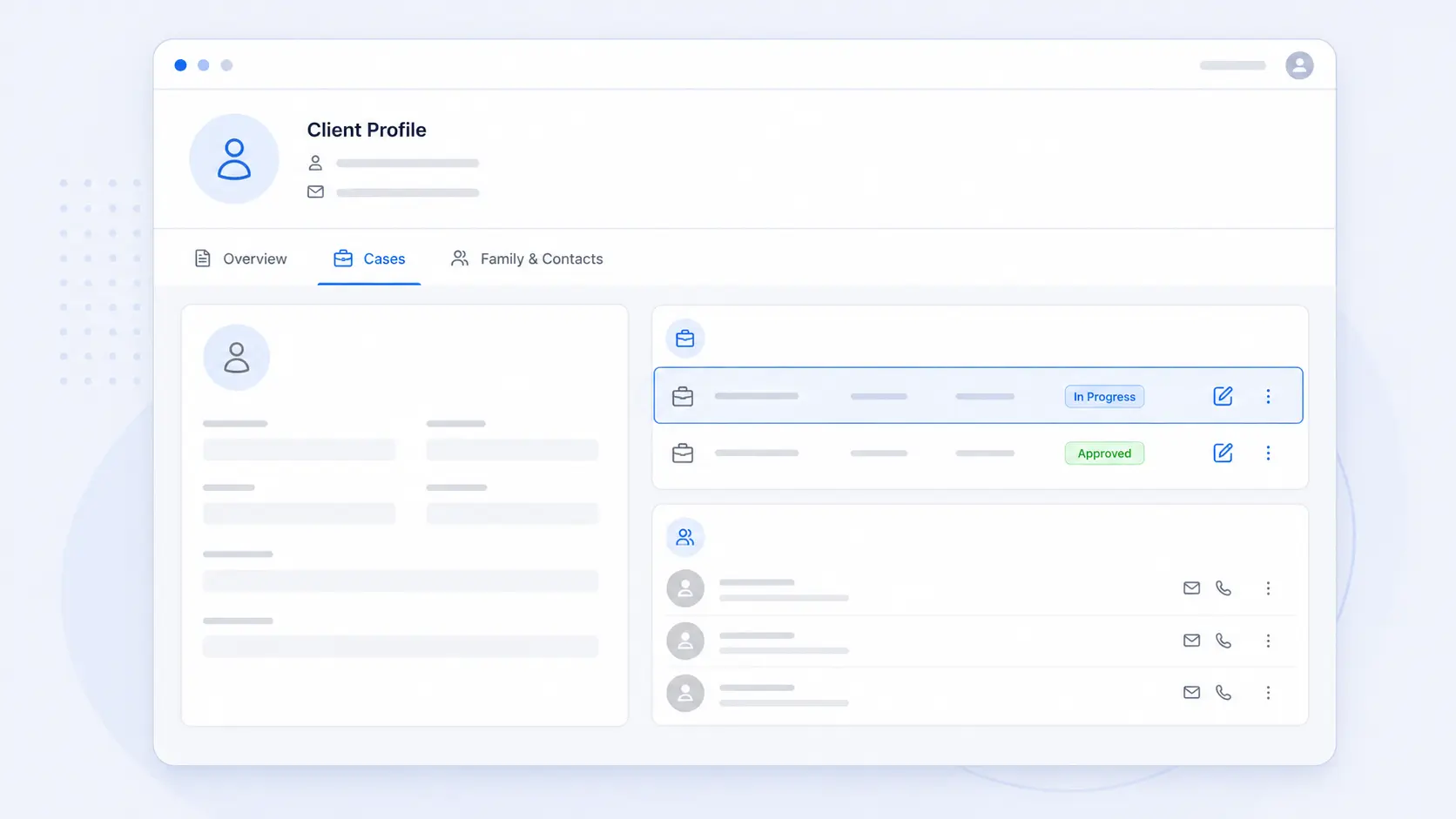
AdviserAide keeps one reliable client profile while giving every immigration matter a separate case. You can see the client’s cases, family and contacts, employers and address from the profile, then open the correct case for its documents, notes, forms, agreements, emails and financial history.
What this helps your practice do
- Maintain one client profile instead of duplicating the same person
- Create a separate case for each immigration matter
- See linked family members, contacts and employers in context
- Export selected client information when your practice needs a portable record
A practical workflow from the AdviserAide Help Centre
Create the client
Record the person’s core details once and keep their contact and address information current.
Separate the matters
Create an individual case for each immigration service so its scope, documents, communications and finance history remain distinct.
Connect the relationships
Link family members, other contacts and employers to the client while preserving the boundary of each case.
One client, clearly separated cases
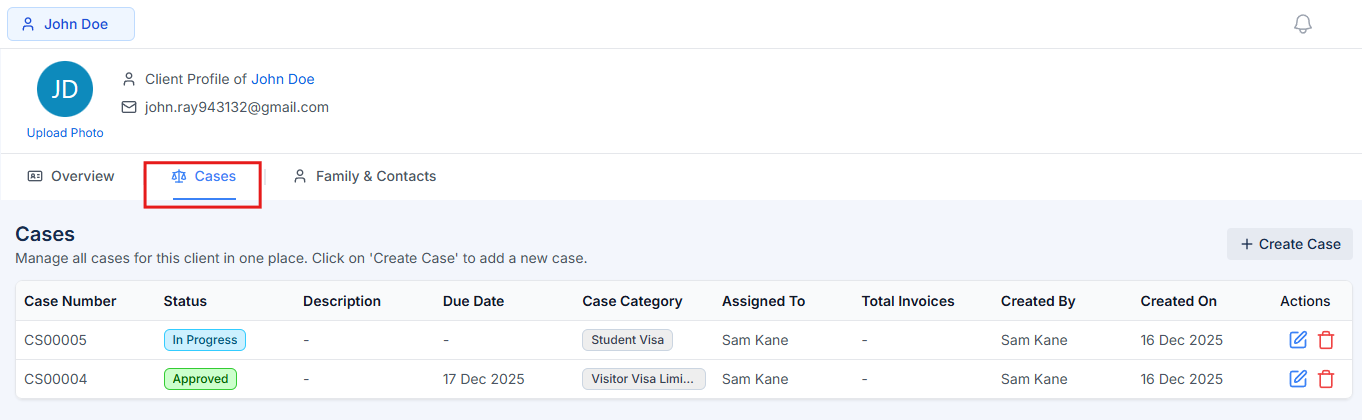
The Cases tab lists the matters connected to the client. Each case keeps its own status and working record, so a visitor visa, work visa and residence matter do not become one mixed file.
- See all cases connected to a client
- Open the correct matter from the client profile
- Keep each matter’s records and progress separate
Keep family, contacts and employers connected
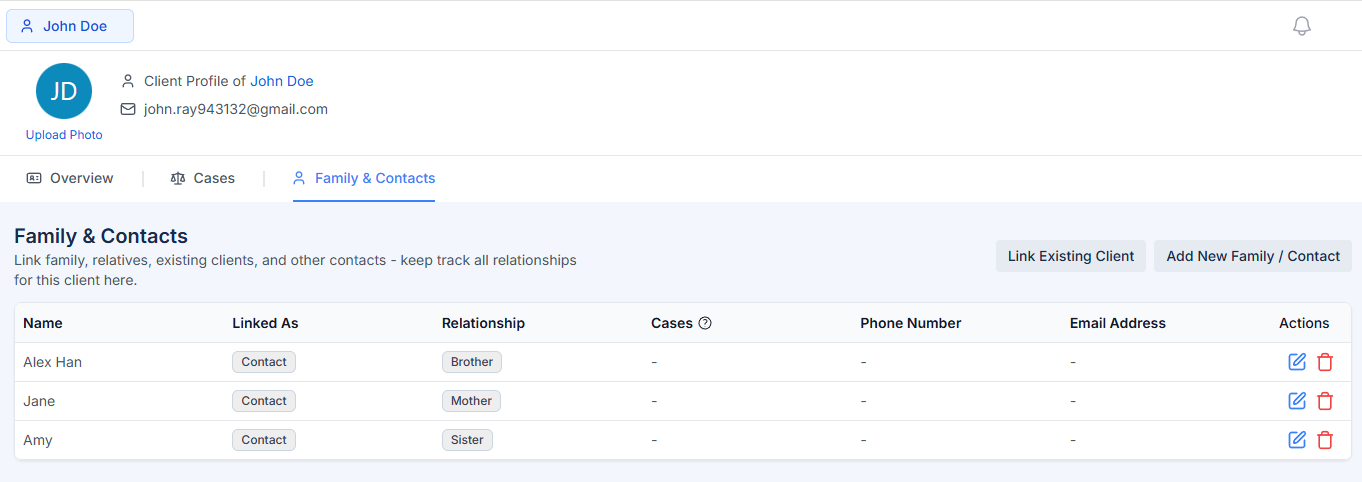
Client relationships can be viewed from the profile instead of being reconstructed from notes or spreadsheets. This helps the team understand who is connected to the client and why.
- Link family members and other contacts
- Record the relationship between the people
- See employer relationships from the same client profile
Create a controlled client-data export
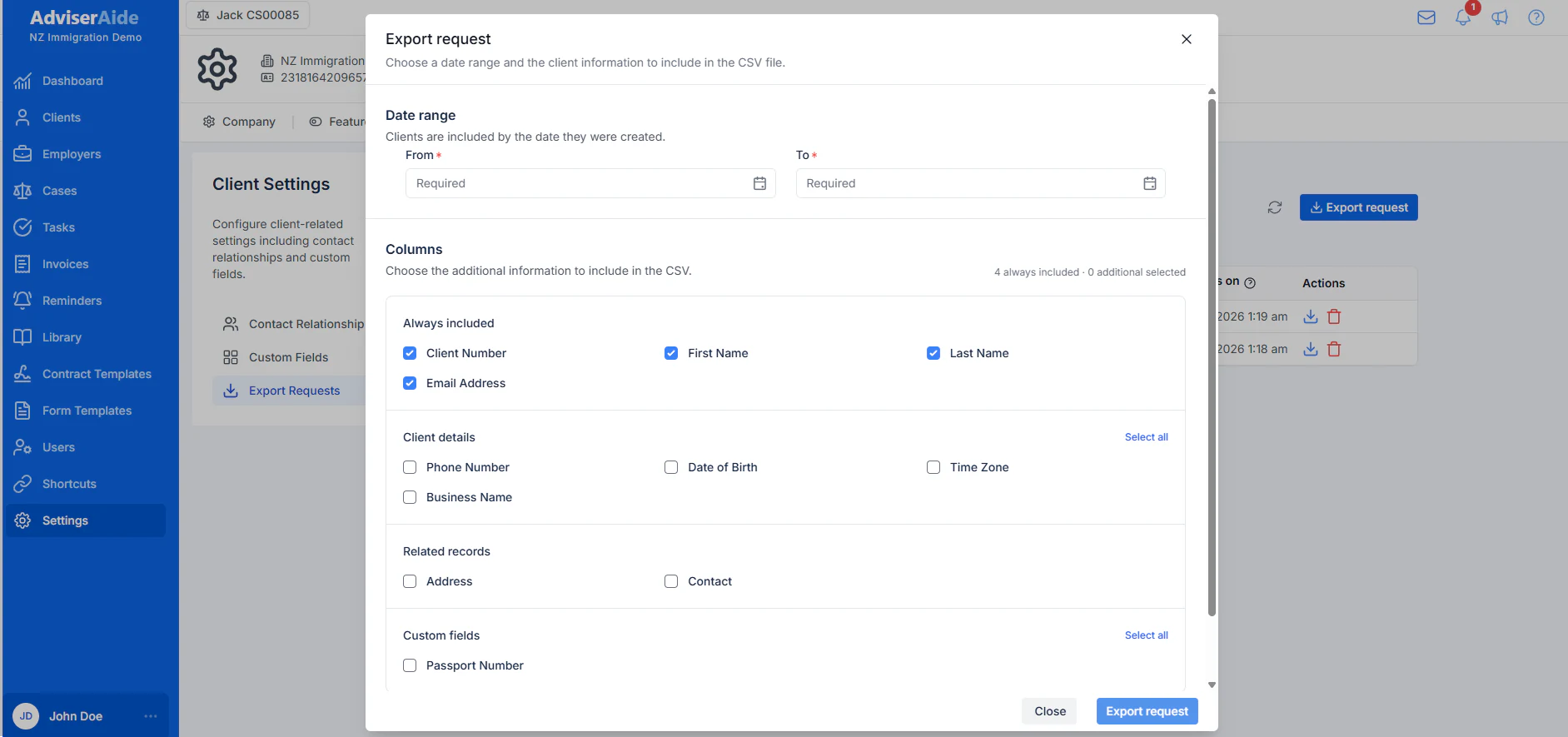
Authorised users can request a CSV export for a selected date range and choose which client information to include. The export is prepared as a separate request rather than exposing everything by default.
- Choose the date range
- Select the client information required
- Download the completed CSV export
Read the detailed product guides
These pages are based on the current AdviserAide Help Centre. Use the documentation for complete setup instructions and detailed behaviour.
Related articles
A Practical Client File Checklist for New Zealand Immigration Advisers
A practical checklist for keeping agreements, communications, invoices, documents, forms, contracts, and case notes together in one reliable case record.
How to Get Inspection-Ready Before the IAA Asks
A practical inspection-readiness routine for keeping agreements, notes, emails, documents, forms, contracts, invoices, tasks, and reminders reviewable before pressure arrives.
See the workflow with your own process
Book a demonstration or request a trial account to test how this feature fits the way your immigration practice works.