A Practical Client File Checklist for New Zealand Immigration Advisers
A client file should be more than a folder of documents. It should show the agreement, the work done, the advice given, the communications sent, and the important events that happened during the matter.
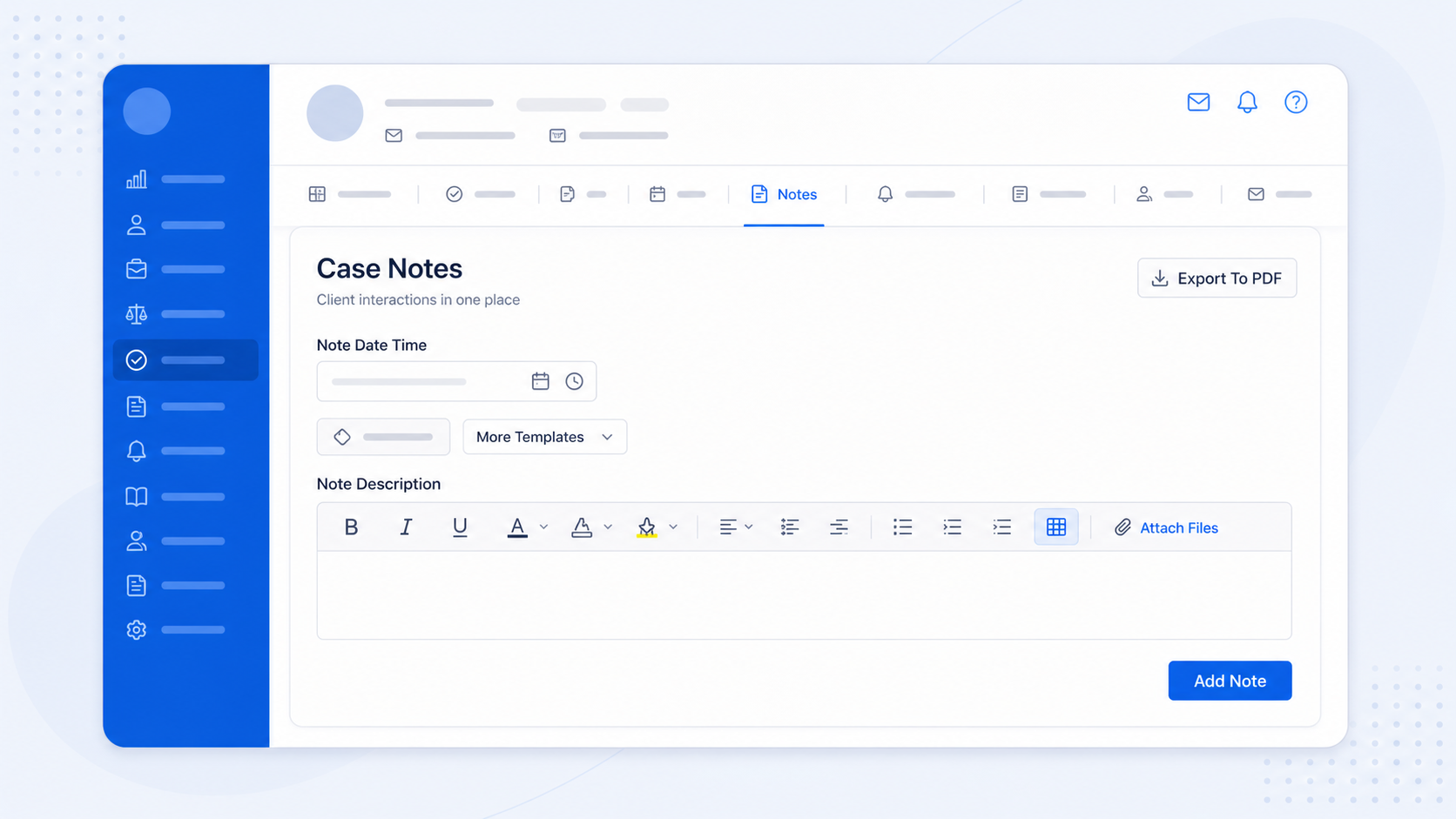
For a busy LIA, file management is not just administration. It is how you show what you were instructed to do, what you advised, what was sent to the client, what was lodged, what was charged, and what was returned. If the file is weak, the adviser is left relying on memory.
The working standard: one matter, one reliable record
The IAA guidance is clear that a client file should include key matter records, written communications, file notes of material oral communications, invoices, receipts, personal documents, and evidence of the safe return of originals. Files must also be kept for at least seven years.
Source: Immigration Advisers Authority file-management guidance. Reviewed against the official guidance on 2 September 2026.
In practice, the safest operating habit is simple: if it matters to the case, it should be easy to find from the case file. Not in one person's inbox. Not in a separate spreadsheet. Not in a folder that only one team member understands.
Practical client file checklist
Client and matter details
Record who the client is, what matter you are acting on, key contacts, and who is responsible inside the practice.
Written agreement and changes
Keep the signed agreement, any later changes to scope or fees, and any consent records that affect the work.
Applications and supporting evidence
Keep the application material, supporting documents, forms, versions, and final copies that explain what was submitted.
Written communications
Keep important emails, letters, client instructions, updates, and file notes for material conversations.
Invoices and receipts
Keep invoice and payment records with the matter so fee history is not separated from the client file.
Client personal documents
Keep copies of documents received, where appropriate, and record what happened to any original documents.
The part that often gets missed: the activity trail
Many files contain the final documents, but not enough of the story around them. A strong file should also show when important actions happened: an email sent, an invoice issued, a contract signed, or a client form submitted. These small records help build the chronology of the matter.
This is where manual systems usually break down. Advisers are focused on the client and the application. They should not have to remember to write a separate note every time the system already knows an important event happened.
How AdviserAide helps maintain the case trail
AdviserAide automatically records several common case activities as system notes, so the case file is not dependent on someone remembering to write a note later.
Emails sent from the case
When a case email is sent, AdviserAide records a system note with the recipients, subject, and email body.
Invoice and receipt emails
When invoice or receipt emails are sent, the activity is recorded against the related case instead of living only in an inbox.
Signed contracts
When a client signs a contract, AdviserAide adds a note showing the contract was signed and stores the signed copy with the case.
Submitted data collection forms
When a client submits a form, AdviserAide records a note and keeps the generated PDF copy with the case documents.
Use note templates for repeated file notes
Many case notes follow a familiar structure. Initial consultation notes, document request notes, follow-up call summaries, eligibility review notes, and file closing notes often need the same core headings. Rewriting that structure every time costs time and leads to inconsistent records.
AdviserAide lets you create note templates for repeated use. Templates can include placeholder fields, such as client and case details, so the note starts with useful context already filled in. Advisers can then add the specific details for the matter before saving the note.
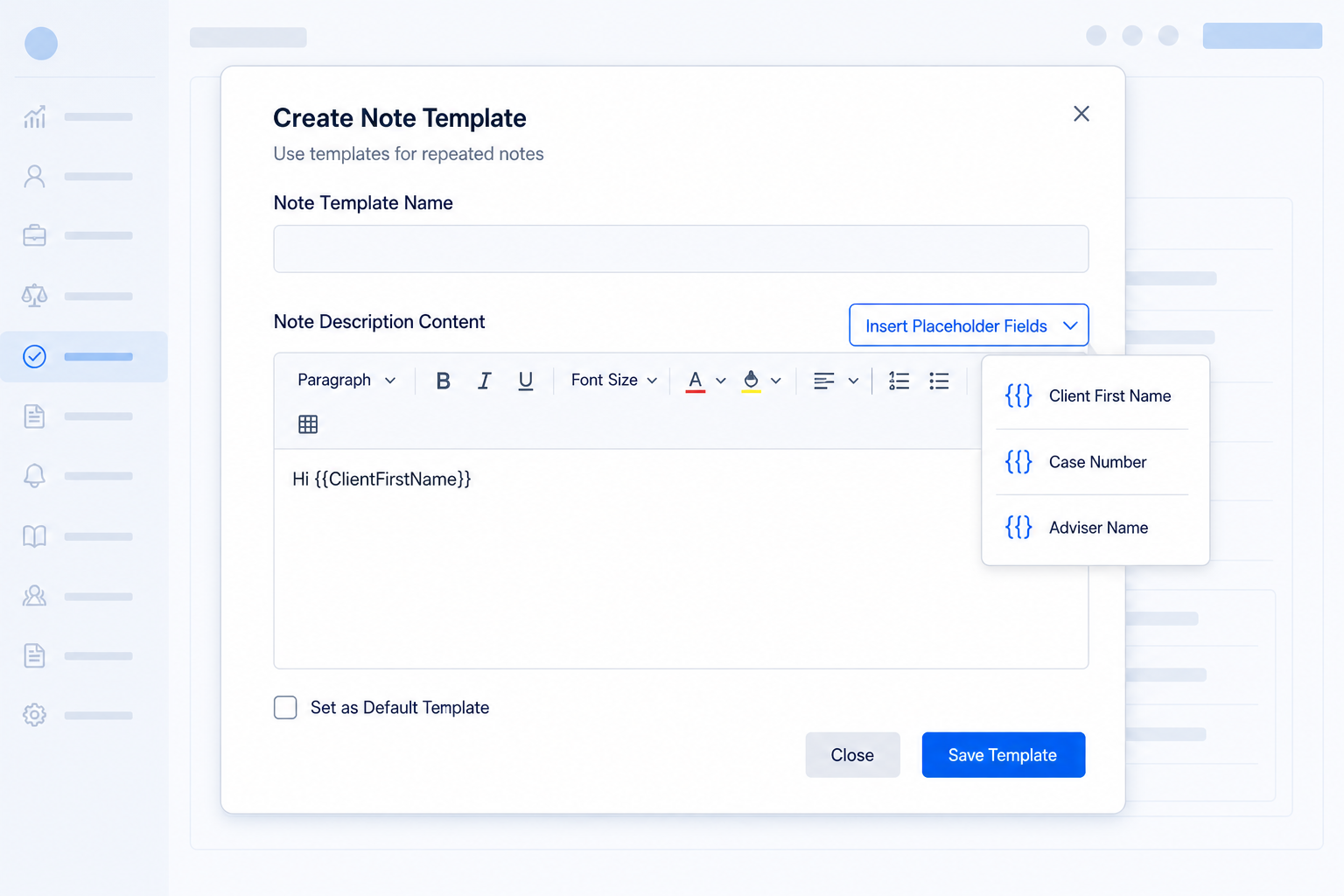
Where templates help most
- Initial consultation summaries.
- Document request or document received notes.
- Follow-up call and meeting summaries.
- File closing or next-step notes.
A simple weekly file hygiene routine
You do not need a complicated audit process. Pick one active file each week and check the essentials:
- 1. Is the written agreement saved and easy to find?
- 2. Are important emails linked to the case?
- 3. Are material discussions recorded as notes?
- 4. Are invoices, receipts, and payment records connected to the matter?
- 5. Are submitted forms, signed contracts, and supporting documents stored?
- 6. Is there a clear closing or next-step note?
That rhythm is manageable for a small practice and useful for a larger team. It also turns compliance from a scramble into a normal operating habit.
See how the records fit together in our client file management guide.
Keep the case record where the work happens
AdviserAide helps immigration teams keep notes, emails, forms, contracts, invoices, documents, tasks, and reminders connected to the case.
Book a DemoThis article is general practice-management information, not legal advice. AdviserAide can support record organisation, but using the software does not by itself guarantee compliance with professional obligations.