INZ PDF Forms for New Zealand Immigration Advisers
Use supported Immigration New Zealand PDF forms, send them for online completion and signature, and review new official versions before changing your copy.
What it does
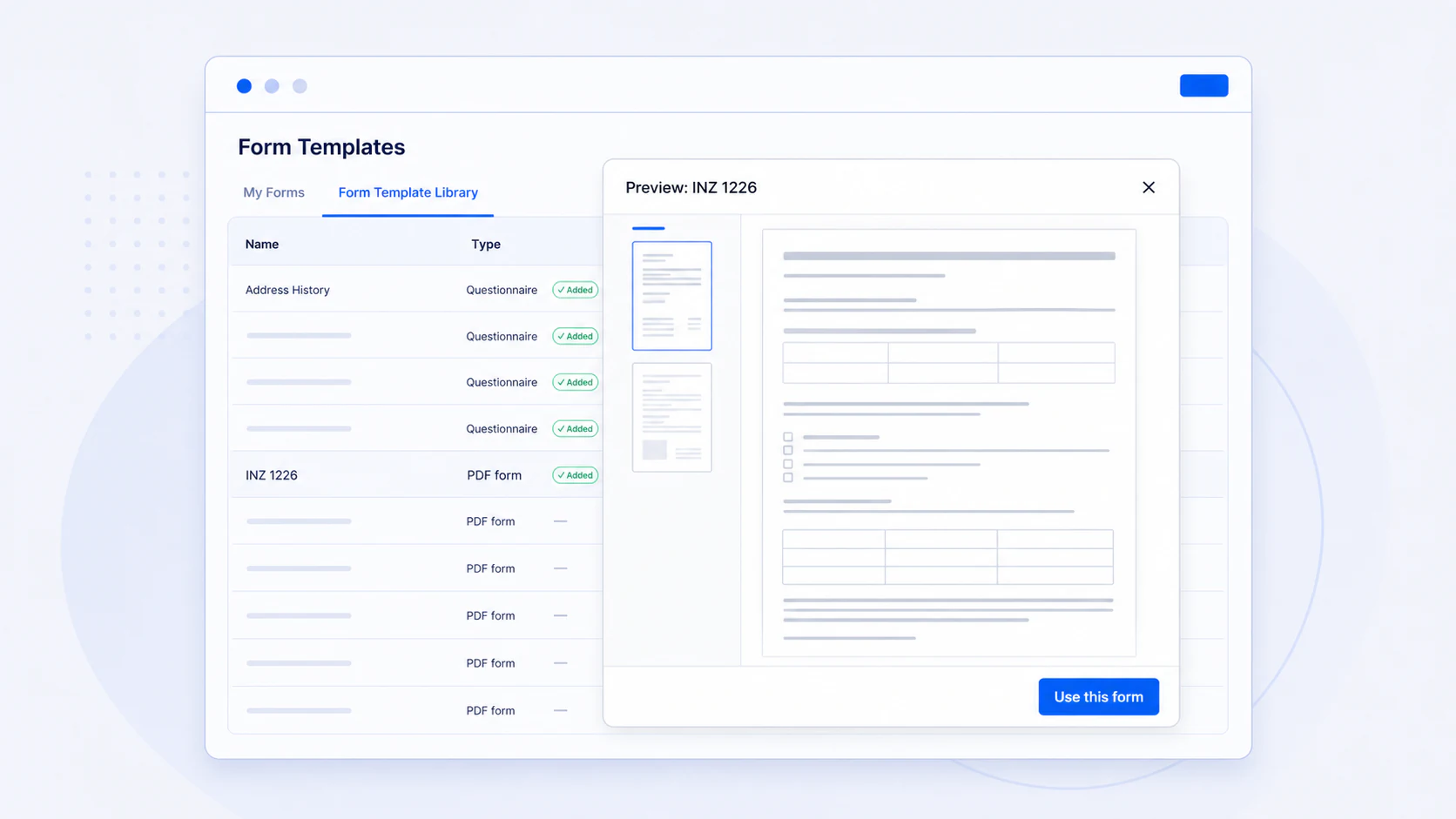
AdviserAide provides supported Immigration New Zealand PDF forms through the Form Template Library. Add a form to your organisation, assign it to a case and send a secure link for the client to complete and sign. When a supported official form changes, your organisation chooses whether to preview, copy, replace or ignore the new version.
What this helps your practice do
- Start with supported INZ PDF forms from the Form Template Library
- Let clients complete and sign the form from a phone or computer
- Keep the completed form and submission activity with the correct case
- Review a new official version before changing your organisation’s copy
A practical workflow from the AdviserAide Help Centre
Choose the form
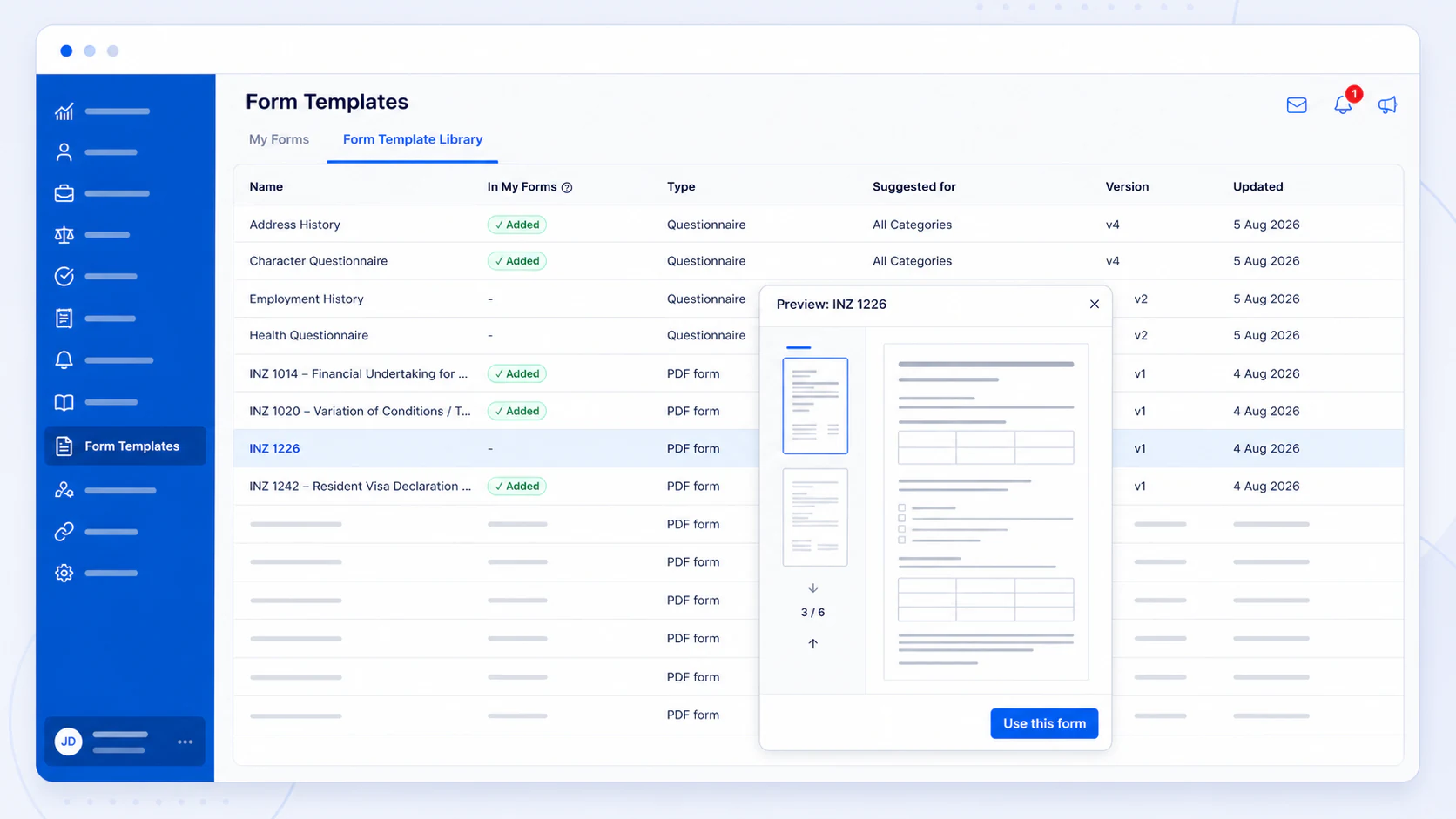
Open the Form Template Library, preview the supported form and add a copy to My Forms.
Assign and send
Add your organisation details, assign the form to the correct case and send its secure completion link.
Review updates
When a new version becomes available, preview it and choose whether to create a new copy, update your current copy or keep it unchanged.
Browse supported forms before using them
The Form Template Library shows the form name, type, suggested use and a full PDF preview. Select the forms your organisation needs and add them to My Forms without rebuilding each PDF from scratch.
- Preview the complete official PDF
- Choose the case categories where the form should be available
- Customise your organisation and adviser details after adding it
Your existing copy is not changed automatically
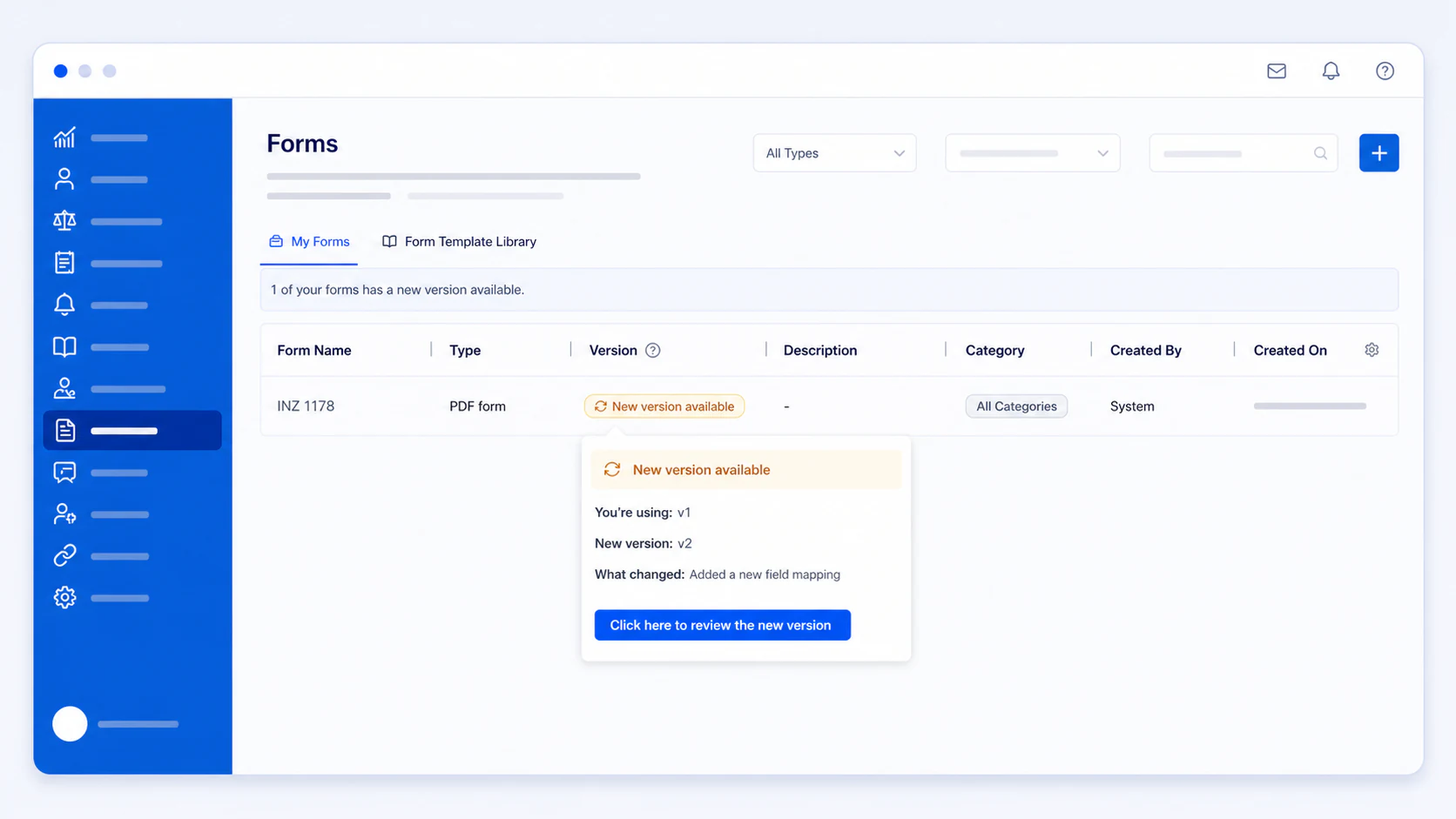
When an immigration authority releases a replacement for a supported form, AdviserAide displays a New version available notice. Your organisation reviews the change and decides what happens next.
- Preview the new version without changing anything
- Get a new copy while preserving your customised form
- Update your copy, or ignore that version and keep the current one
The update is also visible from the case
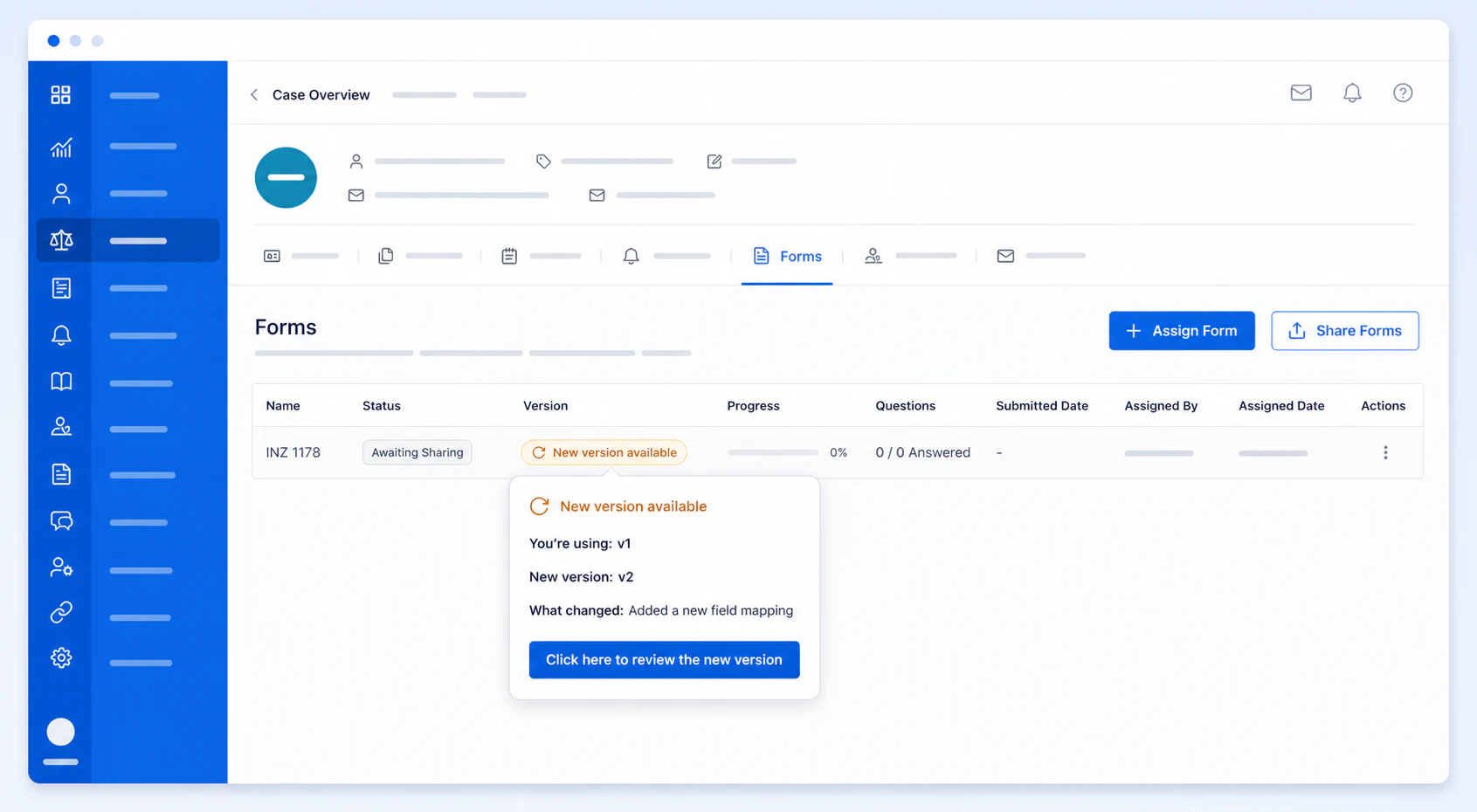
If the form has already been assigned, the same version notice appears on the Case Forms tab. Forms already assigned to cases are not silently replaced when the organisation updates its template.
- See the version notice where the form is being used
- Keep assigned case forms unchanged
- Retain control over customised organisation templates
Read the detailed product guides
These pages are based on the current AdviserAide Help Centre. Use the documentation for complete setup instructions and detailed behaviour.
Related articles
How to Send INZ 1224, 1225 and 1226 Forms for Online Completion
A current, source-linked workflow for sending visitor, work, and student visa declaration forms for secure online completion and signature.
How to Digitize Your Immigration Forms and Go Paperless
Turn any PDF form into a mobile-friendly, fillable document that clients can complete from their phone. No more printing, signing, scanning, and emailing.
See the workflow with your own process
Book a demonstration or request a trial account to test how this feature fits the way your immigration practice works.