How to Send INZ 1224, 1225 and 1226 Forms for Online Completion
A current, source-linked workflow for sending visitor, work, and student visa declaration forms for secure online completion and signature.
The short answer
INZ 1224, 1225 and 1226 are declaration forms for visitor, work and student visa applicants when another person submits an online application on their behalf. In AdviserAide, a supported template can be added to your organisation, assigned to the correct case and sent through a secure link for online completion and signature.
What to check
INZ 1224: Visitor Visa Declaration Form
INZ 1225: Work Visa Declaration Form
INZ 1226: Student Visa Declaration Form
Use the form that matches the application and the applicant’s circumstances
Check the official INZ version before relying on a stored template
Keep the completed form and submission activity with the correct case
Choose the correct declaration
The current official INZ 1224 is for visitor visa applications and related reconsideration or variation-of-conditions situations described on the form. INZ 1225 covers the equivalent work visa situations, and INZ 1226 covers student visa situations.
Each form distinguishes between a licensed or exempt person who will continue to act and a person who is only assisting with recording and submitting information. Read the current official form before deciding which section applies.
Send the form from the case
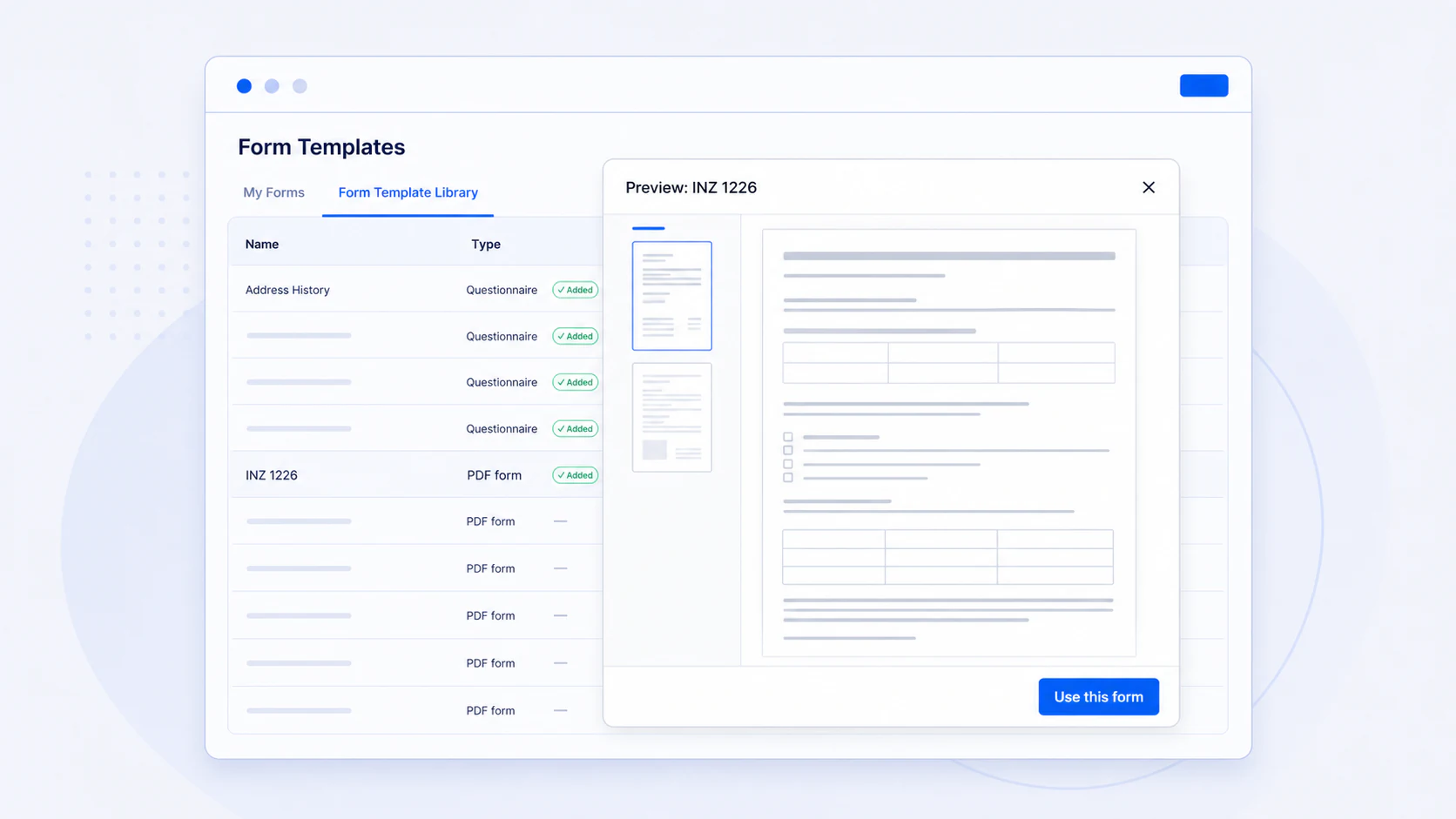
In AdviserAide, open the Form Template Library, preview the supported form and add a copy to My Forms. Add the organisation or adviser details your template requires, assign it to the correct case and send the secure completion link.
The client can complete and sign the form online. Keep the returned form and related activity with the case so it remains connected to the application it supports.
Control version updates
When Immigration New Zealand publishes a new version of a supported form, AdviserAide makes that version available; it does not silently replace your organisation’s copy.
Review the New version available notice and choose whether to preview the new version, get a separate copy, update your existing copy or keep the version you already use. Forms already assigned to cases are not changed automatically.
Sources and detailed guidance
See this workflow in AdviserAide
Review the feature guide, then test the workflow against the way your immigration practice works.
Explore INZ PDF form workflowsThis article explains a document workflow and is not immigration or legal advice. Confirm the correct form, section and current version for each application.
Official guidance can change. Check the linked source before relying on a form version or professional-practice requirement.