Back to Release Notes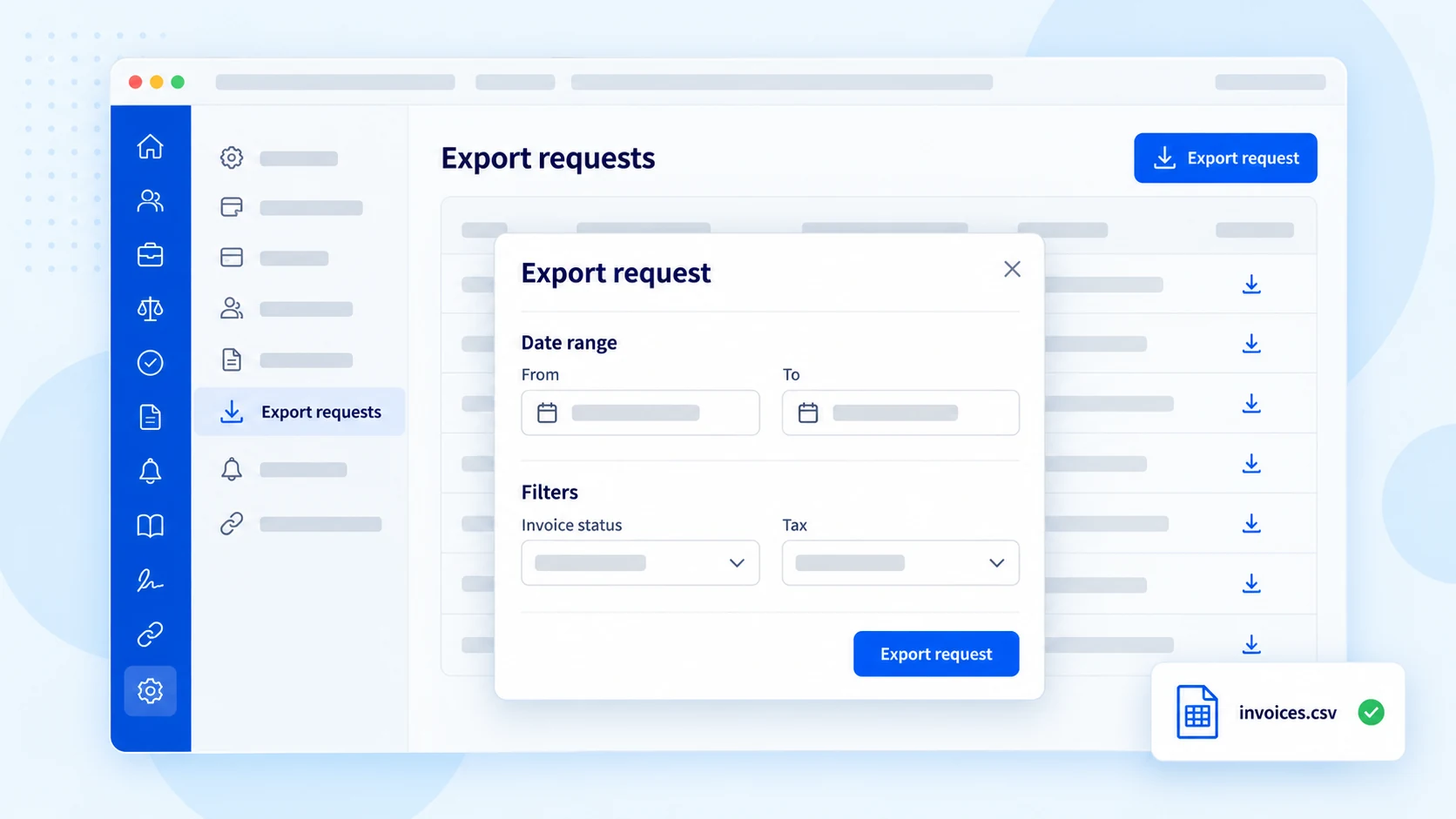
Export your invoice data to CSV
Download your invoices as a CSV file, filtered by date, status and tax, for reporting or your accountant.
8 November 20261 min read
Reporting on your invoices outside AdviserAide meant opening each invoice and copying the totals into a spreadsheet.
Now administrators can export invoice data directly from AdviserAide. Each row in the CSV file is one invoice, with the client, case number, invoice and due dates, currency, tax, totals, amount paid, credit notes, amount due and status.
How to export invoice data
- Open Settings.
- Select Invoice.
- Open Export Requests.
- Select Export request.
- Choose the From and To dates. Invoices are included based on their invoice date.
- To narrow the export, choose an Invoice status or Tax option. Leave them empty to include every invoice in the date range.
- Select Export request.
- AdviserAide will let you know when the file is ready. Download it from the notification or the Export Requests list.
Each request can include up to 500 invoices. Completed CSV files are available to download for 24 hours. Use a smaller date range if you need to export more invoices.