Back to Release Notes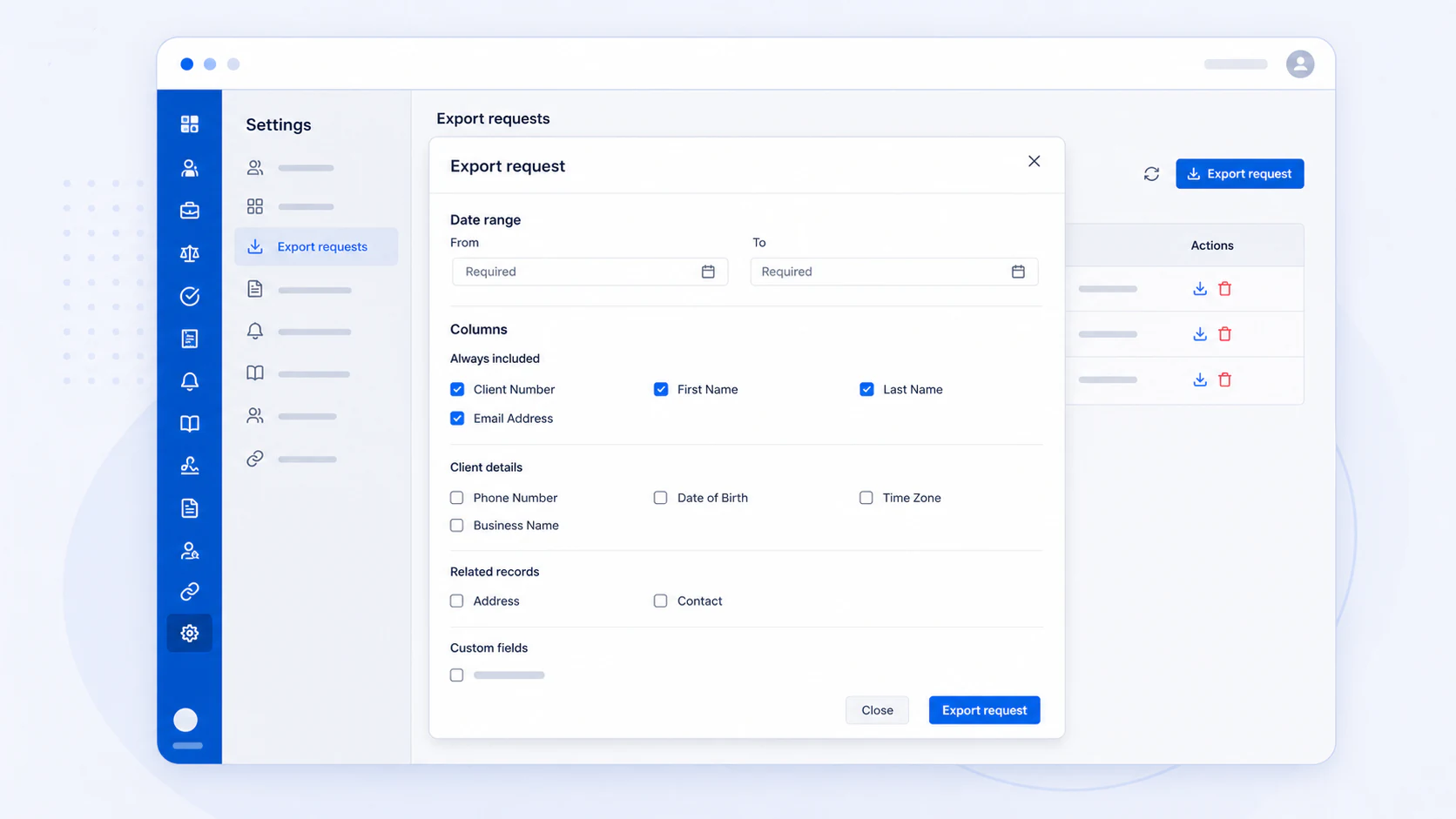
Export your client data to CSV
Choose the client information you need and download it as a CSV file for use outside AdviserAide.
7 August 20261 min read
Moving client information into a spreadsheet or another system used to mean copying client records one at a time.
Now administrators can export client data directly from AdviserAide. Choose when the clients were created and select the details you need, including client details, addresses, contacts, and custom fields. AdviserAide prepares a CSV file you can download and use elsewhere.
How to export client data
- Open Settings.
- Select Clients.
- Open Export Requests.
- Select Export request.
- Choose the From and To dates. Clients are included based on the date they were created.
- Select the additional client information you want in the CSV file.
- Select Export request.
- AdviserAide will let you know when the file is ready. Download it from the notification or the Export Requests list.
Each request can include up to 500 clients. Completed CSV files are available to download for 24 hours, so use a smaller date range if you need to export more clients.