See every case status change
See what changed, who changed it and when, with status updates also recorded in Case Notes.
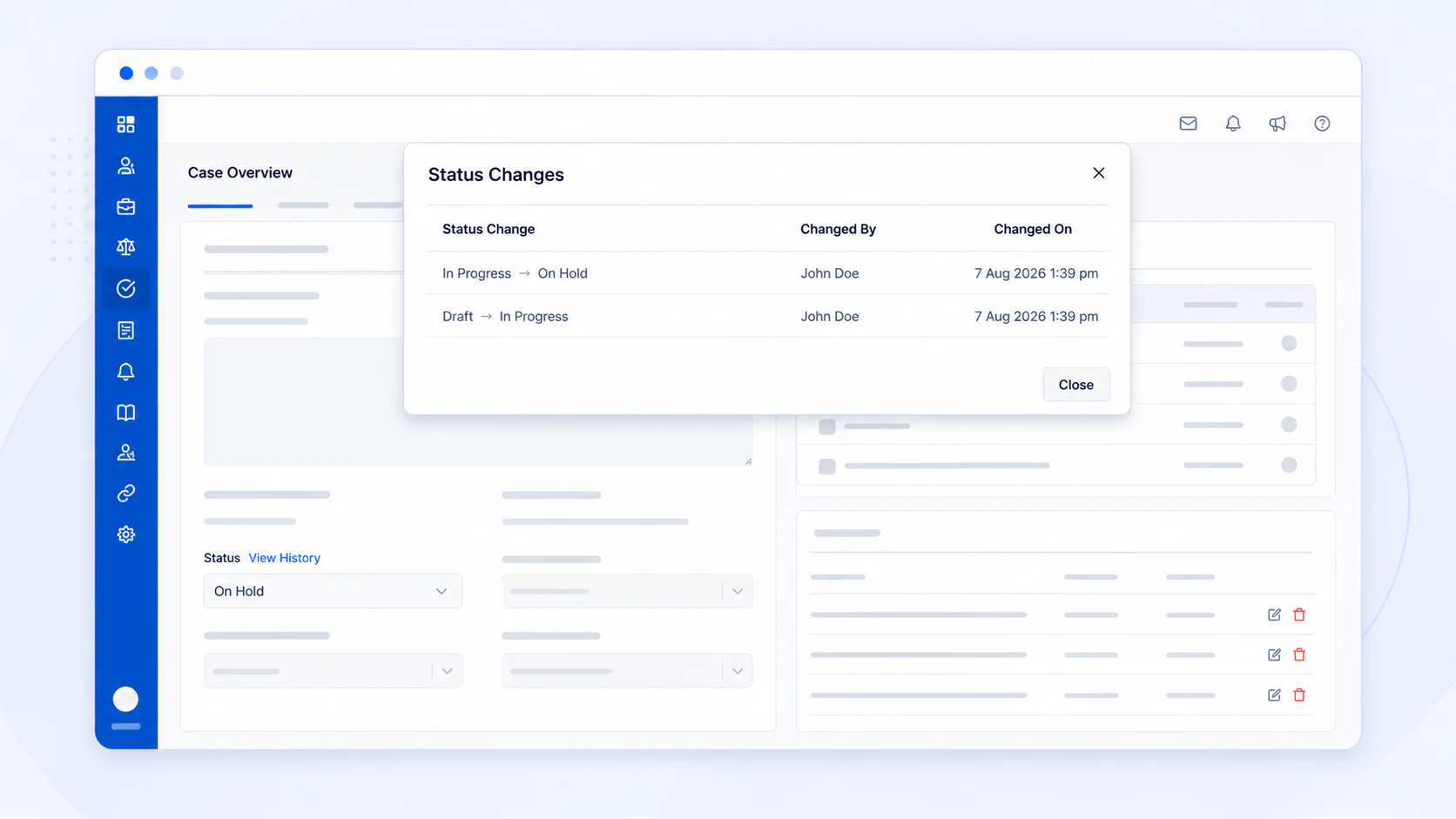
When several people work on a case, the current status does not show how the case reached that point. It can be difficult to confirm which status was used before, who changed it, or when it was changed.
From this update onwards, AdviserAide records the status history for every case. Select View History beside the case status to see each change, including the previous status, the new status, who made the change, and when it happened.
How to view status history
- Open the case.
- Stay on the Overview tab.
- Find the Status field.
- Select View History.
Status changes in Case Notes
Status changes are also added to Case Notes by default. Each system note records who changed the status and shows the previous and new statuses, giving your team a clear record alongside the rest of the case activity.
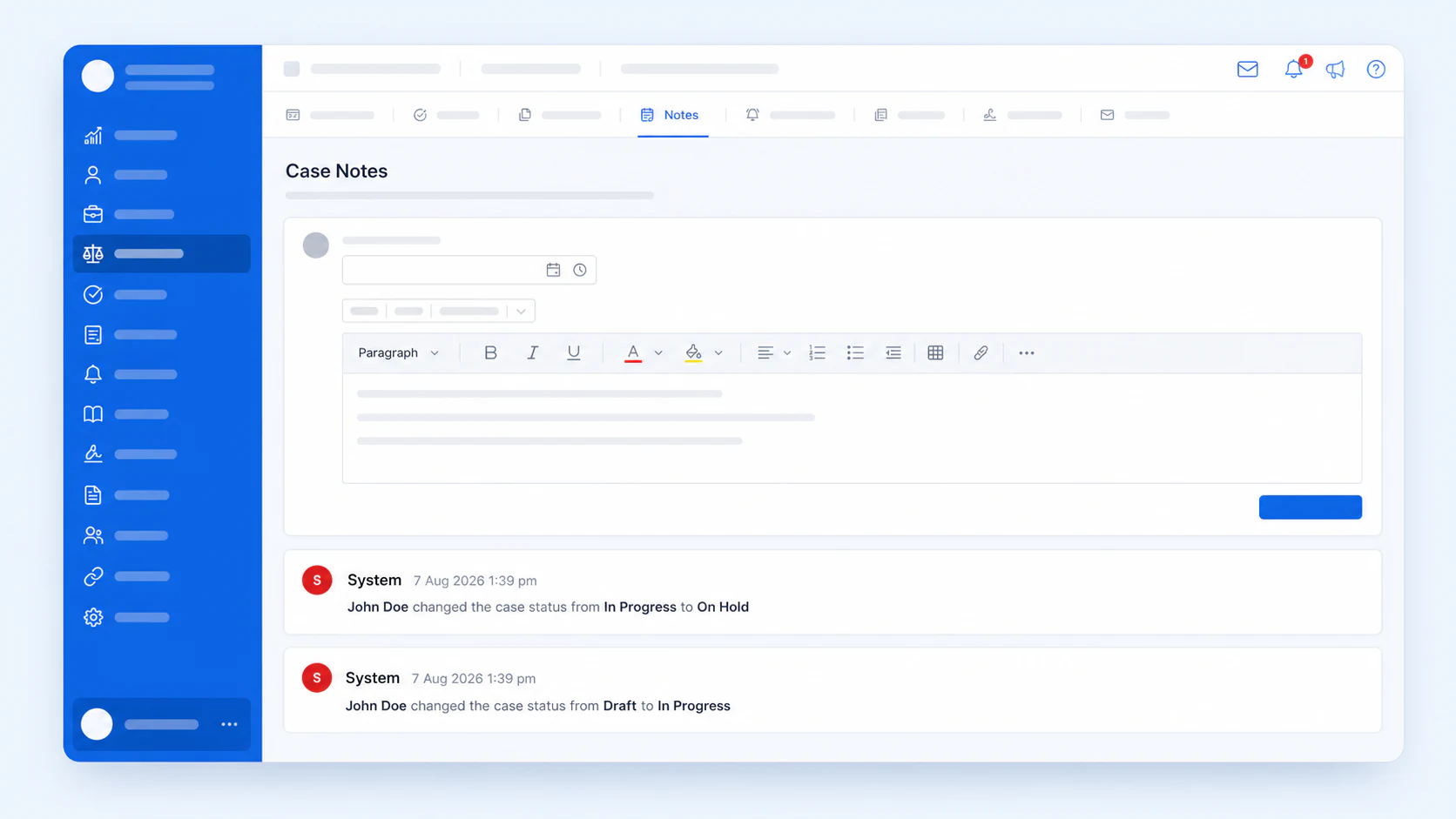
Administrators can control these system notes under Settings, then Cases, then General, under Status updates in notes. Turning them off stops future status changes from being added to Case Notes, but every change will still appear under View History.