How to Keep Gmail and Outlook Emails With the Correct Client Case
Client emails often contain questions, answers, attachments and important decisions. All of that is part of the case history, but it can remain separate from the case when the conversation stays in Gmail or Outlook.
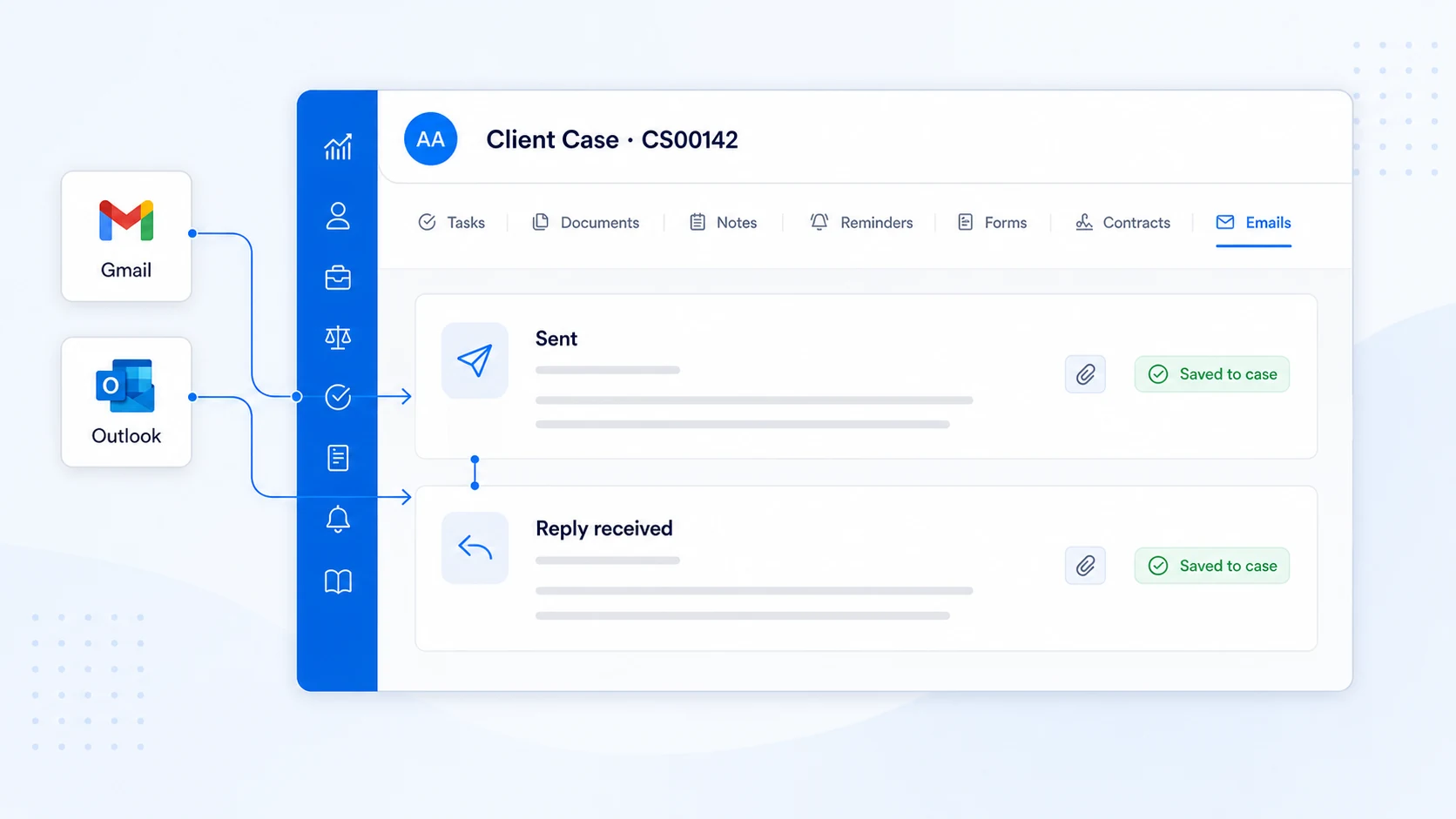
AdviserAide has built-in integrations for Gmail, Outlook and supported IMAP and SMTP email providers. Connect the email accounts you already use and AdviserAide can automatically save relevant sent emails, replies and attachments with the correct client case.
How email integration works in AdviserAide
- 1
Connect one or more email accounts
Link one or multiple Gmail or Outlook accounts. AdviserAide can also support other email providers through IMAP and SMTP.
- 2
Keep using your inbox normally
Once connected, the setup is done. Continue sending emails from Gmail, Outlook or AdviserAide as you normally would.
- 3
Sent emails and attachments are saved with the case
When you email a client who is saved in AdviserAide, the email and its attachments are automatically saved with the correct case. Learn more about how AdviserAide matches emails in the email setup guide.
- 4
Client replies are saved too
When the client replies, the reply and any attachments are brought into AdviserAide and kept with the same case.
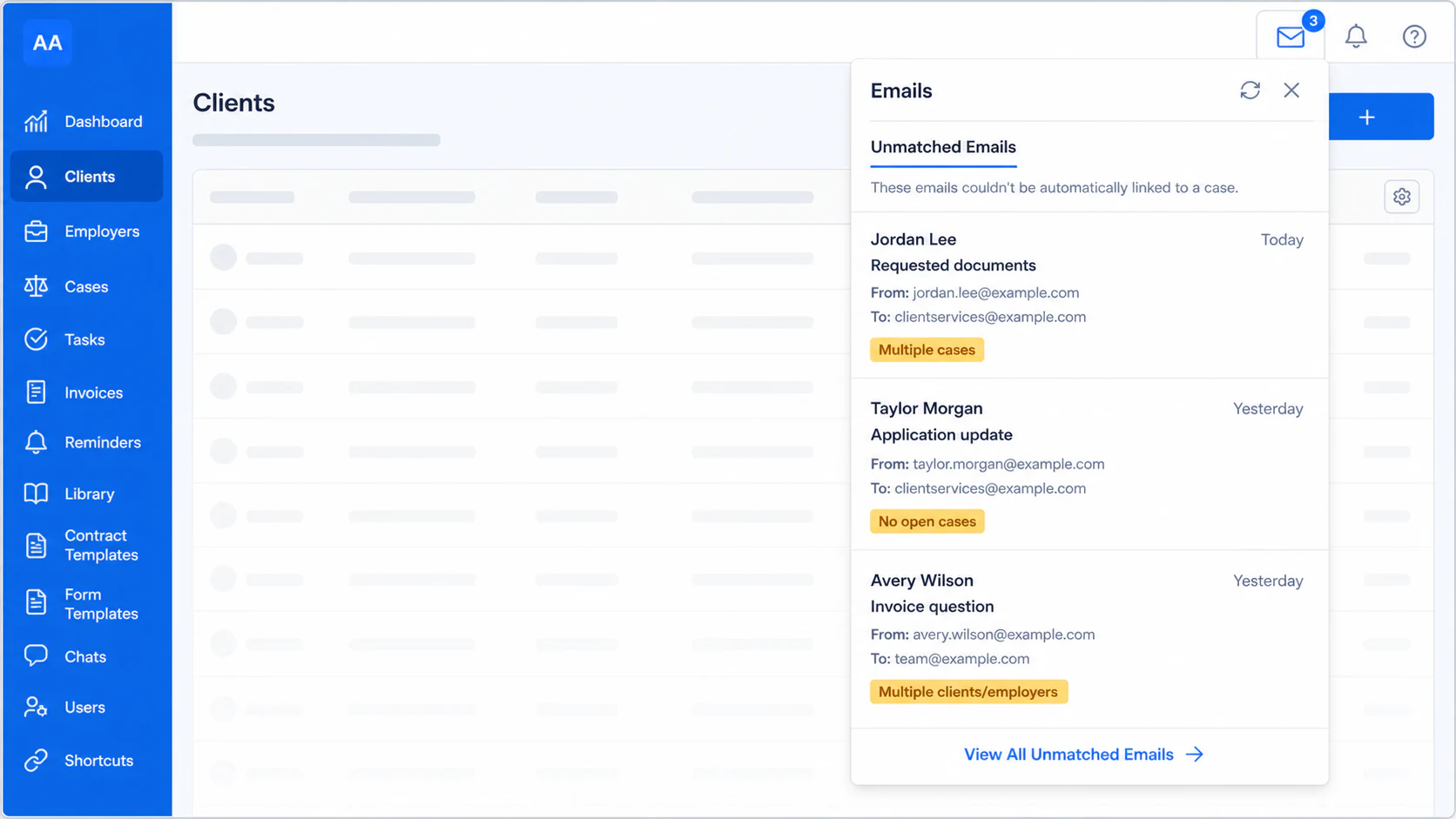
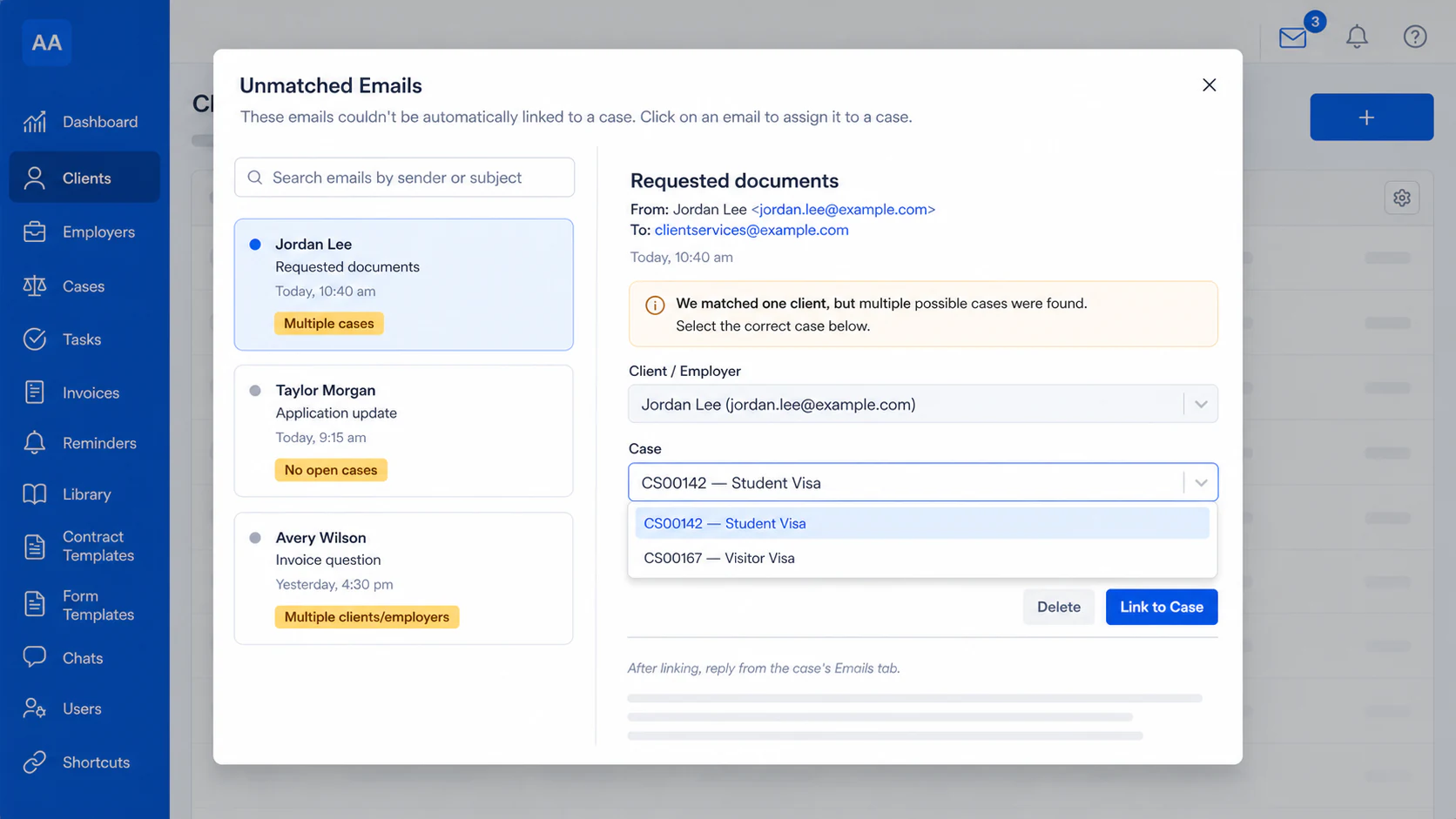
This keeps your client emails with their respective cases. If a client has more than one case, AdviserAide asks you to choose the correct one. Select the case and choose Link to Case in one quick action. See how this works in the unmatched emails guide.
The case should hold the complete context
Everything needed to understand a case should be available from one place. That includes the work being completed, the files collected, the client information, the agreements and the communication connected to it.
Tasks
What needs to be completed next.
Documents
The files collected and prepared for the case.
Reminders
Important dates and follow-ups.
Notes
Decisions, updates and other case information.
Client intake forms
The information and answers collected from the client.
Contracts
Agreements prepared and sent for signature.
Emails
The questions, replies and attachments exchanged by email.
Email is part of the case history
Questions, replies, instructions and attachments should sit alongside the other case information, giving you one place to understand what has happened.
Connect the email account you already use
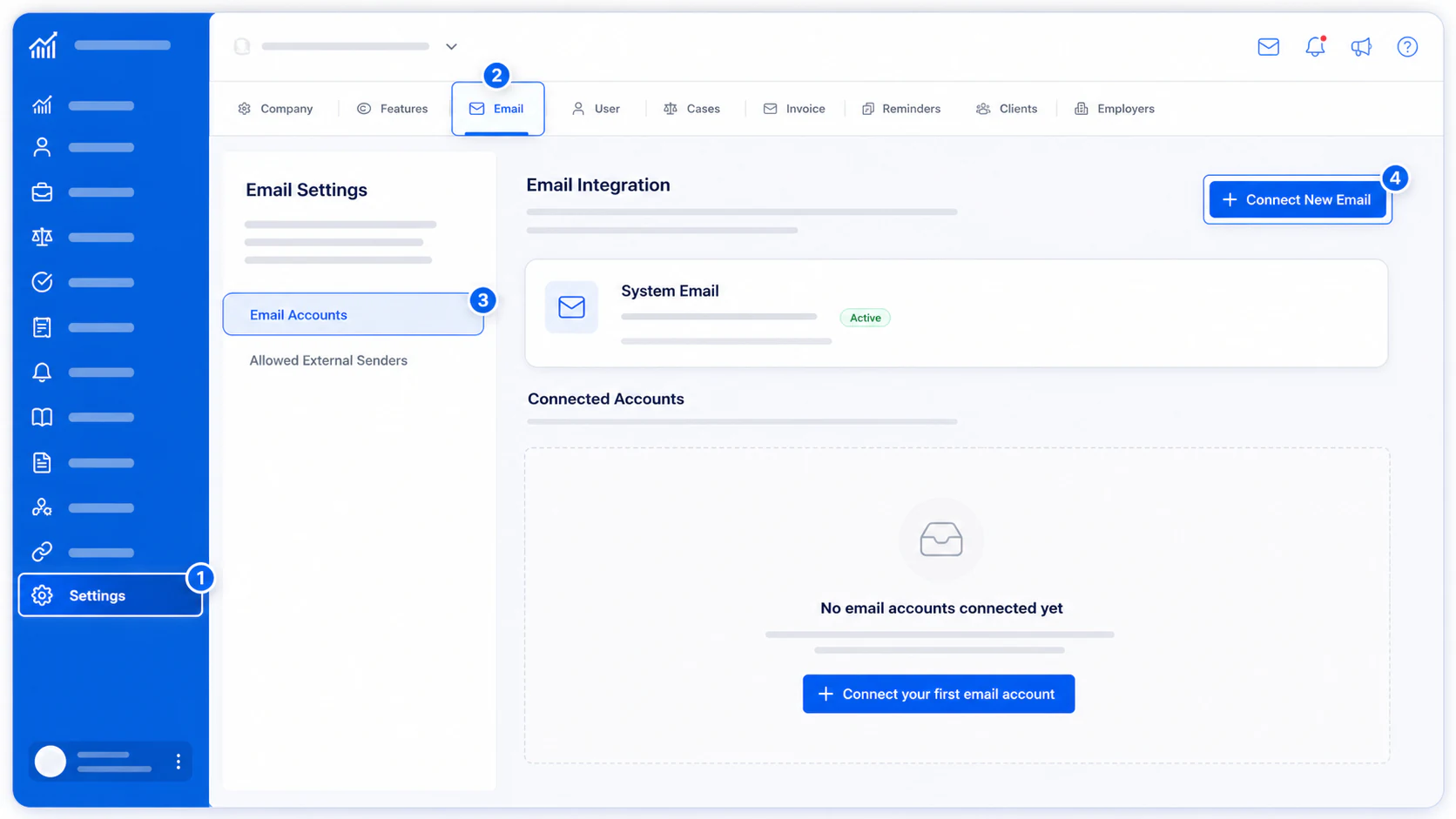
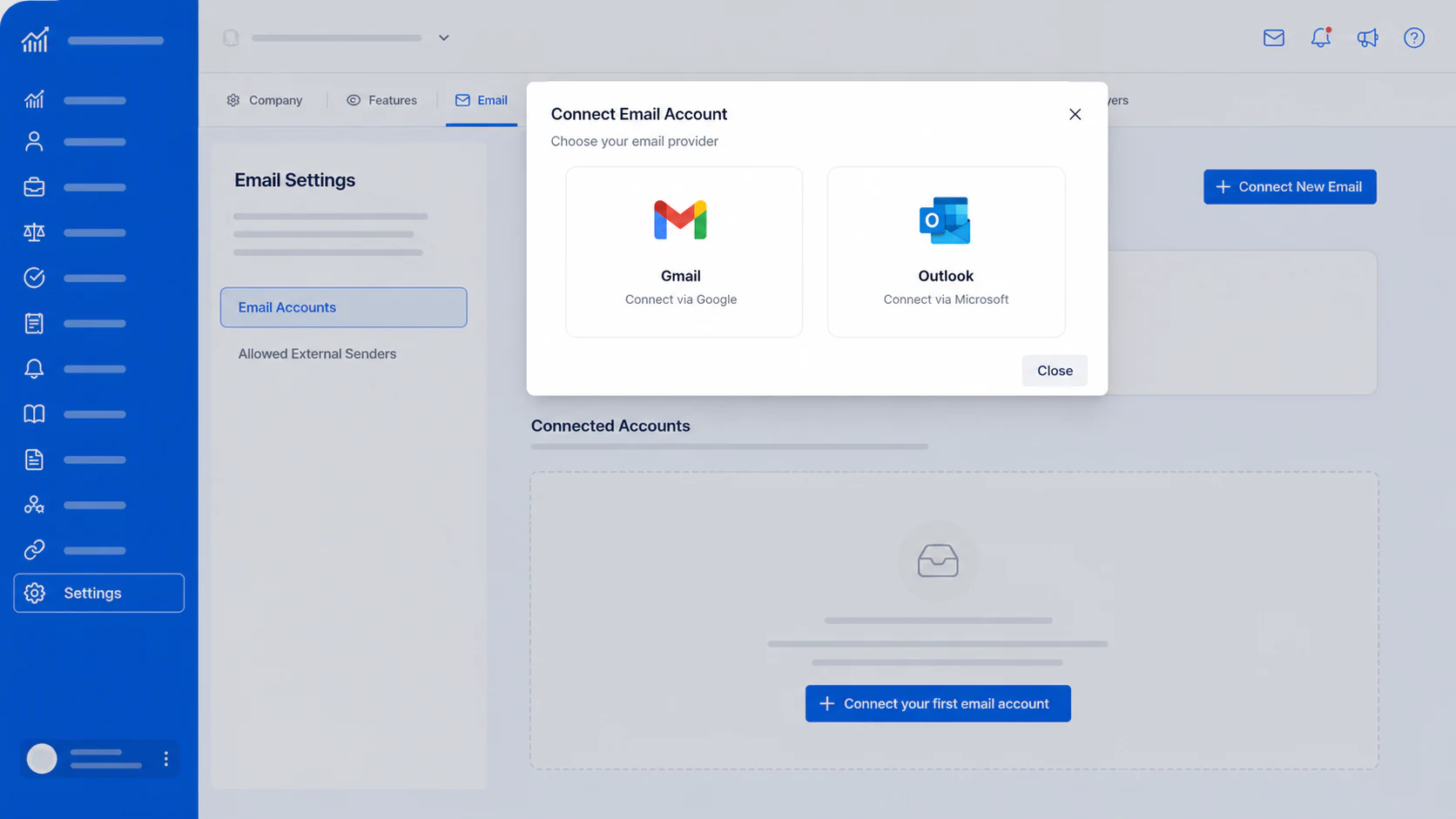
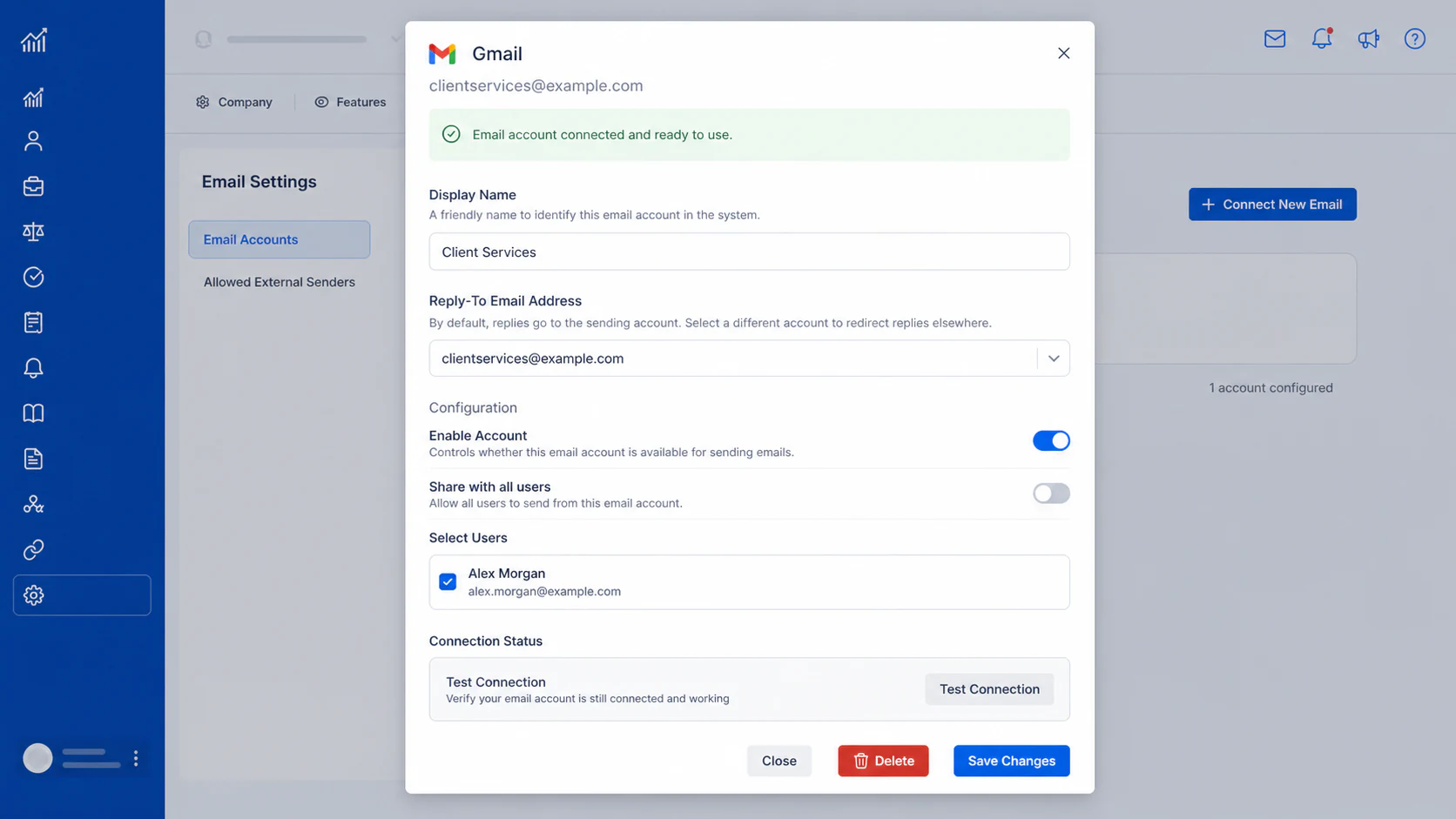
From Settings, open Email Accounts and connect a Gmail or Outlook account. Give the account a clear display name, choose who can use it in AdviserAide and test the connection before saving it.
Keep using Gmail or Outlook normally
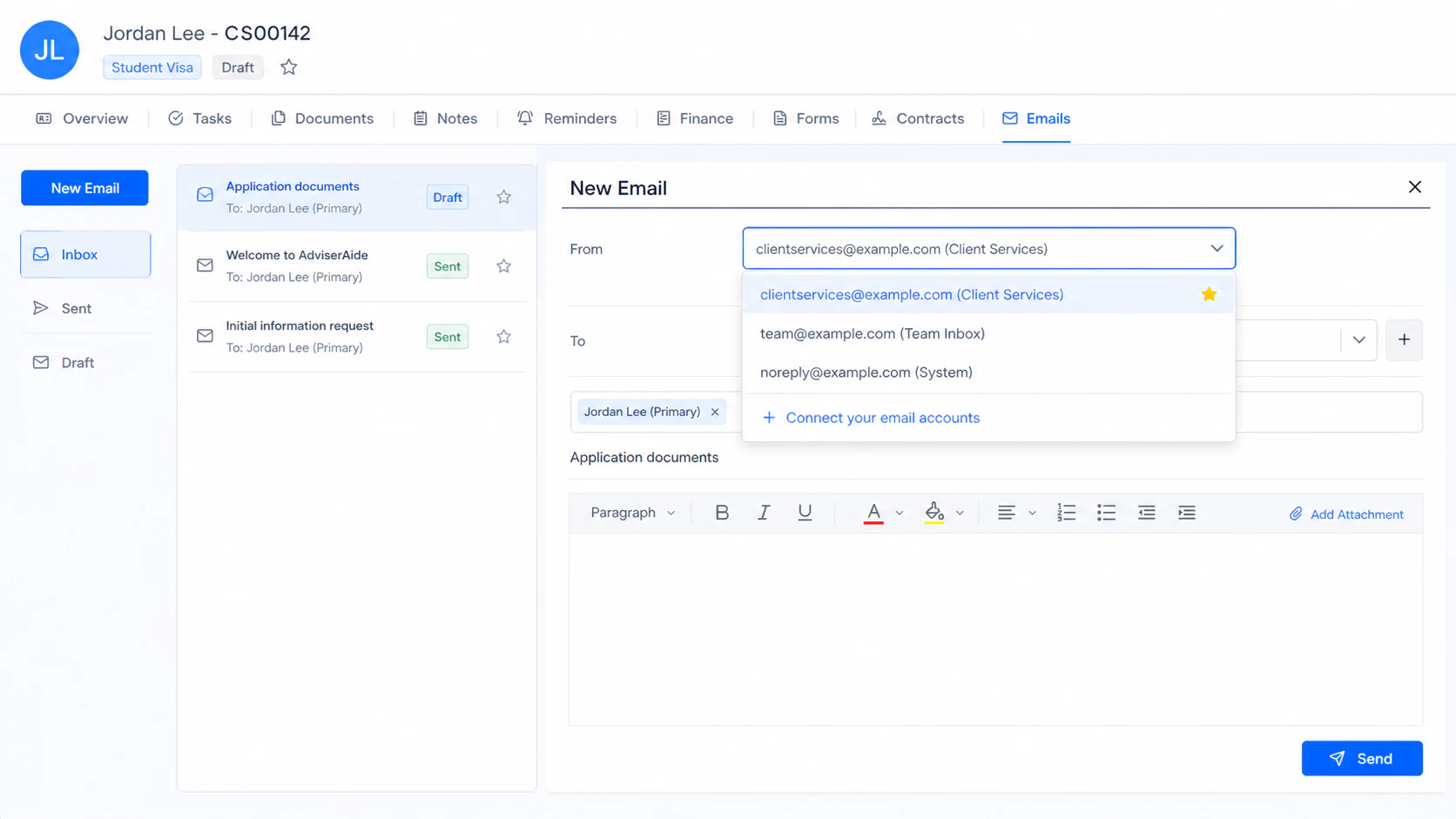
You can send from AdviserAide by selecting the connected account in the From field. You can also send directly from Gmail.com or Outlook as you normally do. When the recipient matches a client or employer saved in AdviserAide, the sent email can still be brought into the case.
When the client replies, AdviserAide also brings the reply and its attachments into the case. You no longer need to remember to forward every part of the conversation yourself.
How AdviserAide finds the correct case
AdviserAide only brings in email when the address matches a client or employer saved in your organisation. This prevents unrelated inbox messages from being added to AdviserAide.
- 1
AdviserAide recognises the email address
The sender or recipient must match a client or employer email address already saved in AdviserAide.
- 2
A clear case is found
When there is one clear match with one open case, AdviserAide saves the email and its attachments with that case.
- 3
You choose when the match is unclear
When the person has more than one open case, the email waits under Unmatched Emails so you can select the correct one.
Allow 5-10 minutes for an email to appear
Email syncing is not instant. After an email is sent or reaches the connected inbox, allow 5-10 minutes for it to appear with the case or under Unmatched Emails.
When there is more than one possible case
AdviserAide does not guess when the match is unclear. The email appears under Unmatched Emails, where you can review it, choose the correct client or employer and select the case. One action moves the email and its attachments into the selected case.
Forward an occasional email instead
Connecting Gmail or Outlook is the easiest way to keep regular client email with the case. When you only need to save an occasional message, you can use the unique AdviserAide email address created for that case.
Send the message to the case email address
Forward the email to the address shown on the case. AdviserAide saves the message and its attachments with that case, without connecting the whole mailbox.
Keep email from trusted organisations with the case too
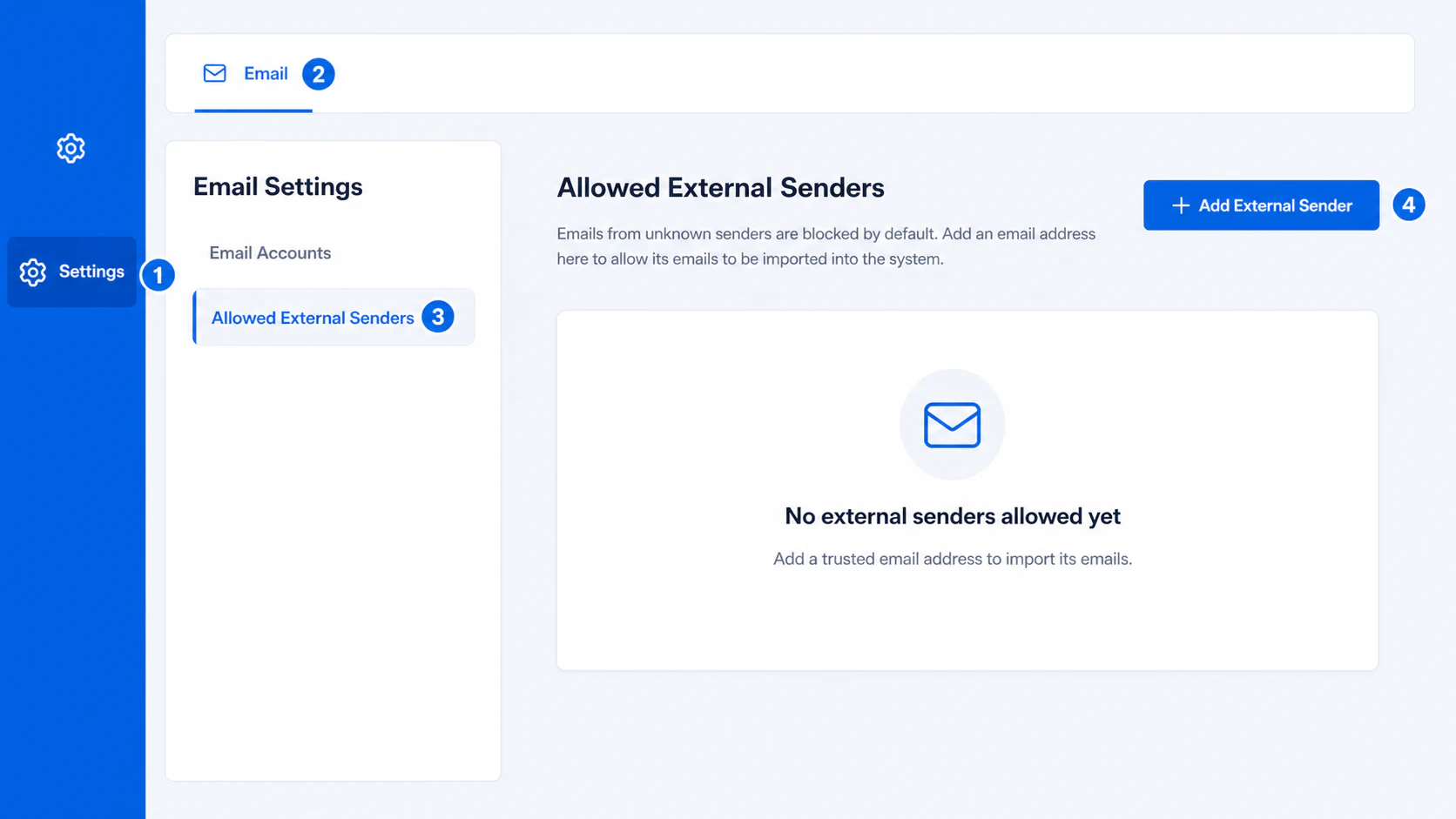
Some case-related messages come from an authority, agency or another organisation rather than a client. Add the exact email address under Allowed External Senders when you want AdviserAide to import those messages. They appear under Unmatched Emails so you can assign them to the correct case.
Using Zoho, Yahoo or another email provider?
Gmail and Outlook have direct sign-in connections. AdviserAide can also support selected Zoho, Yahoo and other hosted email accounts through SMTP and IMAP. These are standard connection methods used by many email providers.
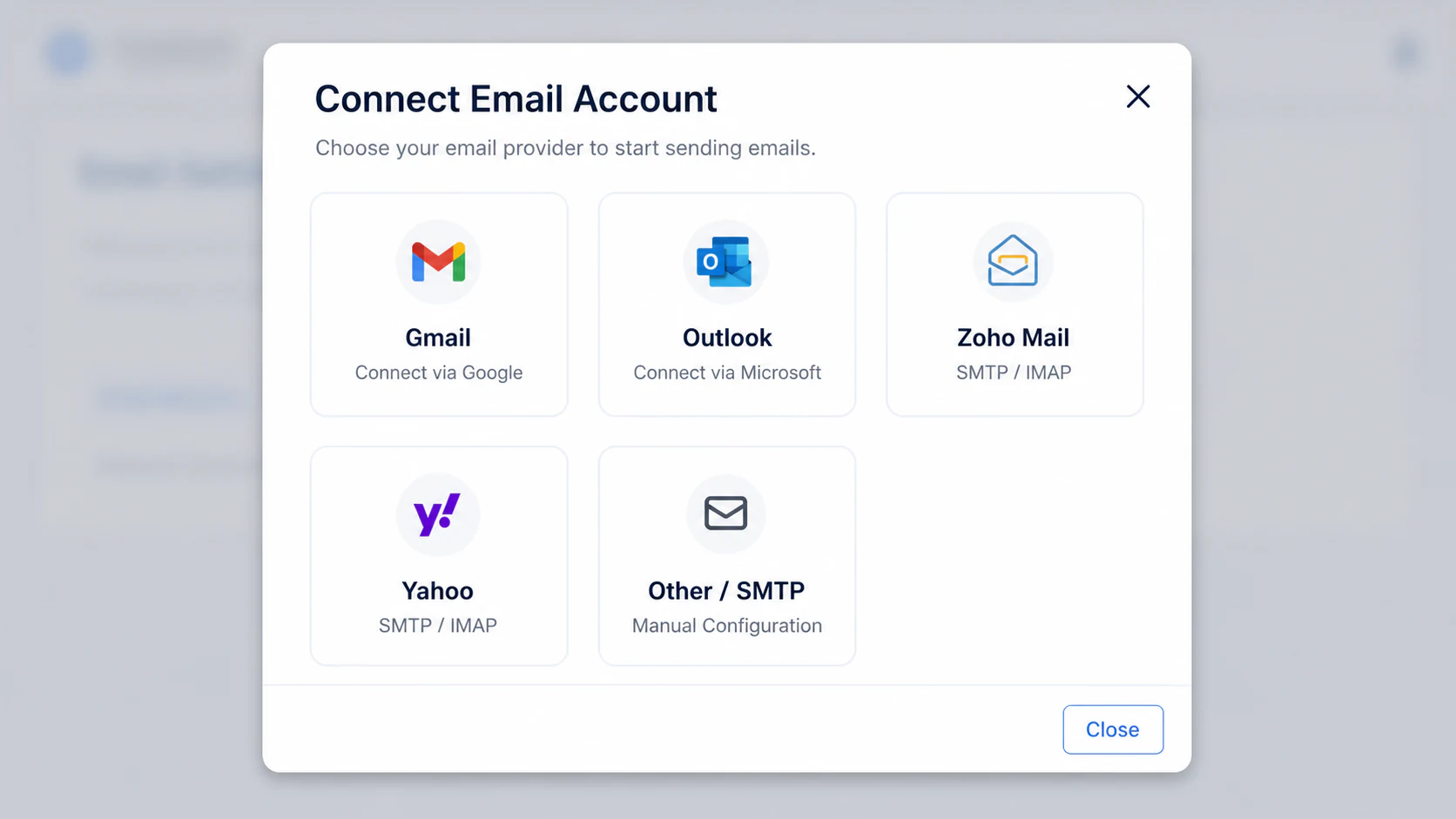
Contact AdviserAide Support before setting up one of these accounts. We will work with you to identify the provider, check whether the mailbox is compatible, enable the appropriate option and send the setup instructions you need.
Follow the email setup guides
The AdviserAide Help Center includes the complete setup and email-matching steps.
See Email Integration Step by Step
Open the complete guide for connection steps, email matching, unmatched messages, external senders and other supported email providers.
Open the Email Integration GuideGmail and Outlook integration is being rolled out gradually. SMTP/IMAP options must be enabled by AdviserAide Support.